
In the context of the modern world of software development, which changes rapidly, the requirement for effective and dependable testing methodology is at an all-time high. With the growing complexity of applications and the speed of release cycles, manual testing is no longer able to keep up with the strict requirements of the current development environments. It is upon this that automation testing tools come in as invaluable resources to development teams across the world.
The latest Automation Testing Tools provide improved features than ever before, including AI-based test generation and automatic seamless integration with continuous integration and continuous deployment (CI/CD) flows. They have a wide variety of supported programming languages, have comprehensive reporting tools, and can execute tests in parallel and in varied environments. We are going to look at how these are all-powerful Automation Testing Tools to the organisation as we evaluate the leading automation testing tools currently in the market and how they are transforming quality assurance processes and enabling organisations to produce high-quality software products that are more efficient and reliable.
What are Automation Testing Tools?
Automation testing tools refer to computer software programs that are used to automatically run test cases. These are used to simulate user interactions, test the functionality of an application, and make comparisons between actual and expected results of different software applications. They are the foundation of the current quality assurance efforts as they are able to allow teams to repeat testing efforts effectively and remain accurate and consistent.
Such advanced platforms involve extensive test features such as functional tests, regression tests, performance tests, and cross-browser compatibility tests. When using automation testing tools, companies can develop a powerful test infrastructure that is closely aligned with the development processes, which will continuously be subjected to quality tests during the software development process, and decrease the time to market and general testing expenses to a large extent.
Essential Features to Look for in Automation Testing Tools
To choose the appropriate solution for automation testing, it is important to consider a number of technical and operational characteristics that should fit the requirements and practices development in your organisation.
- Cross-Platform Support: Contemporary testing environments require a tool that is capable of running tests on various operating systems, browsers, and devices without any issues, and hence full coverage as well as uniform user experience testing.
- Integration Capabilities: The good automation tools should also be able to blend with the existing development ecosystems, like version control systems, CI/CD pipelines, and project management platforms, to support the smooth working processes.
- Script Maintenance: Such advanced tools must also include self-healing capabilities and intelligent recognition of elements. This will foremost reduce maintenance and make any changes less disruptive to application stability while testing.
- Performance Monitoring and Data Analysis: An evaluation of performance and analysis of data, data documentation, and analytical reports provides judicious insights into areas of system failure, performance benchmarking, and any other critical parameters.
Comparison Table for Automation Testing Tools
| Tool Name | Rating | Best Feature |
| Playwright | 4.8/5 | Multi-browser automation with excellent reliability |
| ACCELQ | 4.7/5 | AI-powered codeless test automation |
| Selenium | 4.5/5 | Open-source flexibility with extensive community support |
| Cypress | 4.6/5 | Real-time browser testing with built-in debugging |
| Katalon | 4.4/5 | Comprehensive end-to-end testing solution |
| Appium | 4.3/5 | Cross-platform mobile application testing |
| TestNG | 4.5/5 | Advanced Java testing framework with parallel execution |
| Tricentis Tosca | 4.2/5 | Model-based test automation approach |
| LambdaTest | 4.4/5 | Cloud-based cross-browser testing platform |
| Cucumber | 4.1/5 | Behaviour-driven development support |
| Parasoft | 4.0/5 | Comprehensive testing and analysis suite |
Top 11 Automation Testing Tools
1. Playwright
Rating: 4.8/5
Website: https://playwright.dev/
Best Use Cases: Modern web applications requiring multi-browser testing capabilities
Playwright shines as a modern automation library exclusively dedicated to new web applications. This is a robust tool for developers and testers to automate various browser tests using the same API. It is designed in such a way that it accommodates Chromium, Firefox, and Safari, which leads to full browser coverage for a complete validation of the application.
The library is great when dealing with web content, even the new-age modern JavaScript frameworks. Automatic waiting from playwright by eliminating flaky tests through waiting for elements to be ready to interact with. By virtue of its good mobile emulation and file handling capabilities, it is well-suited for testing complex modern web applications.
Key Features:
- Multi-browser automation support
- Auto-wait functionality implementation
- Native mobile emulation
- File upload/download handling
- Comprehensive tracing capabilities
Pros:
- Excellent browser compatibility
- Native file handling
- Rich debugging features
Cons:
- Complex mobile setup
- Limited legacy support
- Fewer community resources
Pricing: Free
Also Read: 12 Best Open Source E-commerce Platforms
2. ACCELQ

Rating: 4.7/5
Website: https://www.accelq.com/
Best Use Cases: Codeless automation across web, mobile, API, and desktop applications
ACCELQ has been uniquely engineered to use artificial intelligence in eliminating coding requirements for automation in testing. In addition, it is not limited to one single organisation but instead can be used in any company’s testing process so that virtually anyone with little or no programming ability can automate test cases throughout channels. Its smart test generation features are comparatively minimal in effort and time saving with respect to test creation and maintenance.
It is intended to automate processes by concentrating on what is essential to the user and driving their businesses first. Self-healing automation can easily adapt to the dynamic changes in the applications and thus help to maintain the platform. Integrated workflow support actually stretches test cases seamlessly across technology stacks, which is really ideal for enterprises with complex application environments.
Key Features:
- AI-driven test creation
- Cross-platform automation capabilities
- Autonomous test recovery systems
- Corporate workflow verification
- Integrated DevOps compatibility
Pros:
- Low coding demands
- All-in-one testing platform
- Natural language test construction
Cons:
- Premium pricing structure
- Configuration complexity at start
- Restricted personalisation options
Pricing: Custom pricing
3. Selenium
Rating: 4.5/5
Website: https://www.selenium.dev/
Best Use Cases: Cross-browser web application testing with extensive customisation requirements
Selenium is the crowd favourite among the open-source developer community for its versatility with customisations. Multiple tools like WebDriver, Grid, and IDE serve a myriad of testing purposes. Many programming languages support development teams to leverage existing skills.
Testing distributed on the Grid is probably one of its best features that lets a company easily scale its testing across different machines and configurations. Its good cross-browser compatibility, with the support of an active community, ensures a good choice for long-term automation. A great deal of plug-ins and integration options, enabling easy integration into your existing development processes, also increases the popularity of Selenium.
Key Features:
- Cross-language development compatibility
- Parallel testing functionality
- Broad browser compatibility
- Open-source adaptability
- Extensive community network
Pros:
- Fully configurable automation scripts
- Straightforward troubleshooting
- Expandable framework design
Cons:
- Programming knowledge necessary
- Performance bottlenecks with extensive tests
- Initial setup complexity
Pricing: Completely free
4. Cypress
Rating: 4.6/5
Website: https://www.cypress.io/
Best Use Cases: Modern web application testing with real-time debugging capabilities
Cypress arose as the panacea for testing a web application because tests run immediately within a browser, allowing you to see how the application works in action. You can debug and receive instant feedback as you go, develop, and do testing. And, it is downright user-friendly, so whether you are a pro or a newbie in automation testing, it is for everyone.
Well, the most important part is probably automatic waiting with retry logic inside, which minimises flaky tests and makes results so much more reliable. There’s also a neat time-travel debugging thing, whereby developers can step through test execution and check at any point what state the app was in. And don’t forget the dashboard-it offers the overview of tests regarding performance and failure trends across environments.
Key Features:
- Run real-time browser testing.
- Integrated troubleshooting tools.
- Intelligent element coordination.
- Time-travel debugging features.
- Comprehensive test oversight dashboard.
Pros:
- Automated element timing control
- Built-in analysis tools
- Rapid development cycles
Cons:
- Limited to web application testing
- No native file management support
- Chromium-based browser dependency
Pricing: Free tier available
5. Katalon
Rating: 4.4/5
Website: https://katalon.com/
Best Use Cases: End-to-end testing for mobile and web applications
Katalon is a convenient testing solution combining manual and automated testing techniques. Using its record-and-playback feature, you can quickly create tests. From a single platform, testing of both web and mobile applications is possible. A keyword-driven approach minimises test maintenance and allows reusability across different test cases. Katalon also offers seamless integration with widely-used CI/CD tools, allowing faster continuous delivery. Also, take advantage of the built-in reporting tools, because they will give you valuable insights into your test results and the performance of your application.
Key Features:
- Capture-and-replay capabilities
- Action-based testing methodology
- Continuous integration compatibility
- Integrated analytics dashboard
- Cross-platform compatibility
Pros:
- Streamlined automation process
- Modular test elements
- Enterprise-ready framework
Cons:
- Challenging initial adoption
- Regular maintenance requirements
- Premium pricing structure
Pricing: Free version available
6. Appium
Rating: 4.3/5
Website: https://appium.io/docs/en/latest/
Best Use Cases: Cross-platform mobile application testing for hybrid and native apps
These days, Appium is a preferred solution for mobile app automation. It works with native, hybrid, and web applications on IOS, Android, and Windows, which is a pretty cool thing. The client-server architecture, running tests on real devices and emulators, does not require any modification of the app or for SDKs to be messed up. Thus, this cross-platform functionality really cuts down the work on testing applications across multiple platforms.
Putting it into continuous integration systems facilitates automated mobile testing in DevOps. Appium supports several programming languages, thus letting teams use existing skill sets. When it comes to dealing with those tricky mobile interactions and gestures, it has all the bases covered, perfect for the comprehensive validation of mobile apps.
Key Features:
- Cross-platform mobile support
- Real device testing
- Multiple language support
- CI/CD integration capabilities
- Emulator and simulator support
Pros:
- No device inventory required
- Supports multiple app types
- Real device compatibility
Cons:
- Complex gesture handling
- Frequent script maintenance
- Limited iOS gesture support
Pricing: Free
7. TestNG
Rating: 4.5/5
Website: https://testng.org/
Best Use Cases: Advanced Java application testing with complex dependency management
TestNG, the high-powered testing framework, tailored for Java applications, comes with some features that could easily be said to surpass standard testing methods. It allows one to take very complicated test arrangements in one’s hand using clever annotation and configuration options. In addition, TestNG makes managing dependencies easy; it ensures tests run in the proper order and with results that can be trusted.
Another great feature is that it allows tests to be run in parallel, thus expediting the process for what can sometimes be extensive test suites. TestNG also provides true, comprehensive reporting that dissects execution patterns and retrospects failure analysis. TestNG seamlessly works with a variety of build tools and IDEs, ideally suited for Java development environments.
Key Features:
- Sophisticated markup framework
- Library coordination tools
- Concurrent test running
- Detailed analytics capabilities
- Development tool connectivity
Pros:
- Intricate test case management
- Simultaneous test processing
- Parameter-driven validation
Cons:
- Challenging adoption path
- Java-specific constraints
- Lengthy configuration requirements
Pricing: Free
8. Tricentis Tosca
Rating: 4.2/5
Website: https://www.tricentis.com/
Best Use Cases: Enterprise-scale continuous testing with a model-based approach
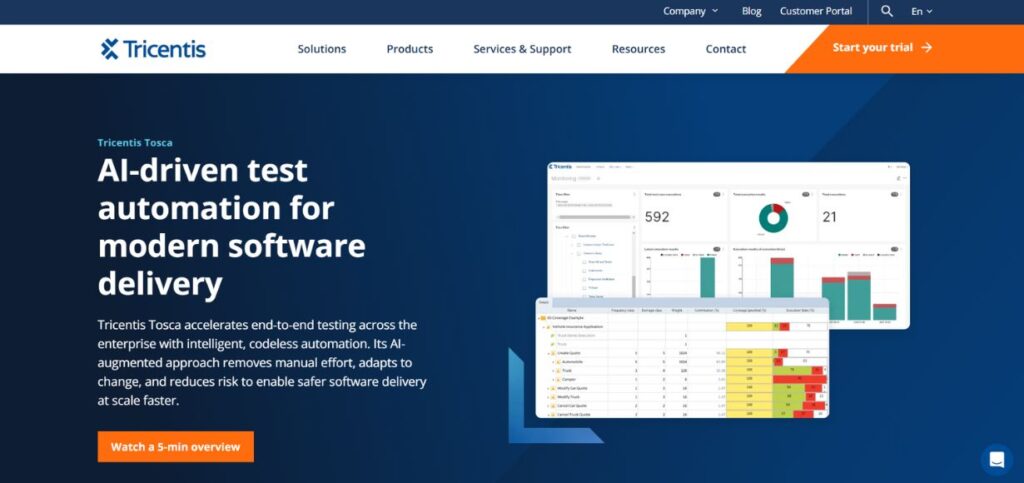
Tricentis Tosca is a cutting-edge piece of software in the field of automated software testing, mainly due to its model-based approach. With the help of this tool, organisations can create test artefacts that can continuously change as and when they find changes in any application. Yet another unique feature of risk-based testing allows this tool to determine the priority of test execution based on business impact and change analysis.
It offers testing support for multiple technologies like web, mobile, and desktop, besides API testing, all in a single platform. Continuous testing with Tosca through the SDLC process is automatically done through easy integration with any CI-CD pipelines. Through detailed reporting and analytics, high visibility is provided to senior management on the testing progress and quality metrics.
Key Features:
- Blueprint-based test generation
- Risk-prioritised testing strategy
- Wide-ranging system support
- DevOps pipeline connectivity
- Executive-level reporting dashboards
Pros:
- Comprehensive platform support
- Parallel execution capabilities
- Enhanced collaborative workflows
Cons:
- Limited data processing capacity
- Reporting functionality gaps
- Slower execution for complex workflows
Pricing: Custom pricing
9. LambdaTest
Rating: 4.4/5
Website: https://www.lambdatest.com/
Best Use Cases: Cloud-based cross-browser testing across multiple device configurations
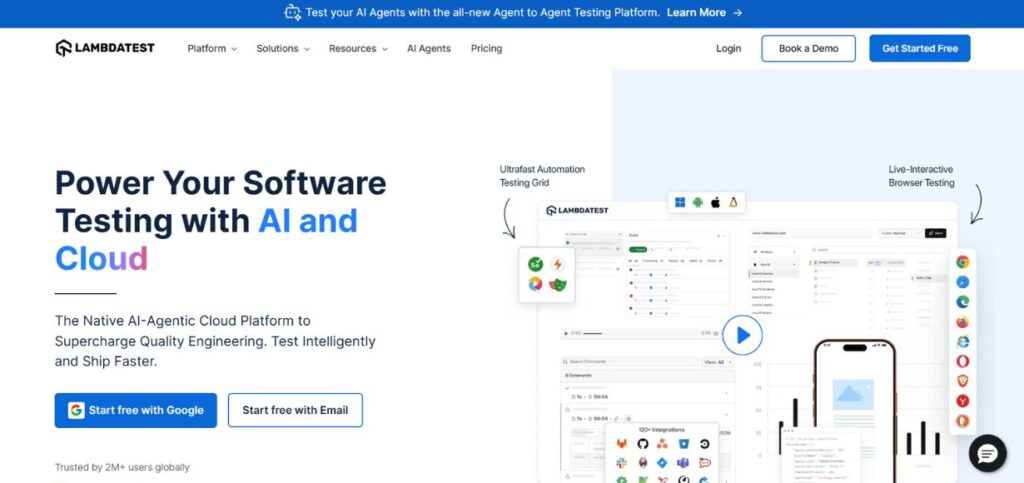
LambdaTest offers a complete cloud testing solution so that you do not have to bother managing a myriad of devices and browsers. Through real browser testing, various environments can be tested for real user experience on your site. Furthermore, smart waiting and precise execution are used to minimise flakiness and maximise reliable tests.
Analytics give you a live view of what is happening during the testing, making the identification of critical issues quick and easy. LambdaTest also integrates well with popular testing frameworks and development tools, so it always fits well into your workflow. Moreover, its global network allows it to run quickly in whichever part of the world you may be in.
Key Features:
- Cloud-based testing platform
- Real browser validation
- Intelligent waiting algorithms
- Comprehensive analytics suite
- Global infrastructure support
Pros:
- Real browser testing
- Seamless framework integration
- Multi-device compatibility
Cons:
- Shallow reporting depth
- Complex initial setup
- Premium pricing structure
Pricing: Free tier available
10. Cucumber
Rating: 4.1/5
Website: https://cucumber.io/
Best Use Cases: Behaviour-driven development with stakeholder collaboration requirements
Offering hosting for conversations between different stakeholders in software development, Cucumber allows them to have true discussions with each other, especially for technical people who communicate their specifications clearly to the non-technical audience. Business specifications can be expressed in ordinary natural language using the Gherkin syntax, making them valid for testing that specification. Thus, what is being tested is firmly aligned with what the business customer expects and what the users want.
Key Features:
- User-centric testing methodology
- Conversational test scenario writing
- Real-time documentation updates
- Cross-platform development support
- External tool integration capabilities
Pros:
- Improved cross-team communication
- Automated deployment pipeline compatibility
- Living specification maintenance
Cons:
- Demands a detailed requirement definition
- Complex initial configuration process
- Slower test execution performance
Pricing: Custom pricing
11. Parasoft
Rating: 4.0/5
Website: https://www.parasoft.com/
Best Use Cases: Comprehensive testing and analysis for enterprise applications
Parasoft offers a total solution for its functional testing, unit testing, and static analysis. Change impact analysis may be one of its most fascinating features, as this may help quickly isolate the tests that are pertinent to any changes in the code.
Even better, it operates across multiple development environments and toolchains seamlessly. In addition, it is very strong in detecting security risks and code quality issues before they become a serious headache downstream in production work. Therefore, Parasoft seems quite comfortable being in the hands of multiple tech stacks, extending its support for both embedded systems and complex enterprise applications.
Key Features
- Change ripple effect analysis
- Deep security vulnerability scanning
- Multi-environment deployment capabilities
- Rich analytics and dashboards
- Enterprise system integration
Pros:
- Determines security gaps effectively
- Capacity for complex system architectures
- Supports various types of applications
Cons:
- Longer learning curve for advanced features
- Requires huge hardware resources
- Lengthy and tedious process of initial setup
Pricing: Custom pricing
How to Choose the Right Automation Testing Tools
It is not easy to choose the best automation testing tools. Much care and thorough contemplation should be considered. There are a lot of factors involved in enabling rapid implementations and much better performance for your own organisation in the future. Here are the considerations:
- Budget: Take a very good look at how much everything will cost, from licensing fees, training, infrastructure, and maintenance, since the solution must fit within your budget and continue to generate value over time.
- Technical Skills: Check out what skills are available in your team, how willing they are to learn new technologies, and, for some locales, codeless options would suit them better than staying with traditional programming-based frameworks.
- Compatibility: Make sure the tool you choose can work with your specific tech stack and various application types, whether that’s web, mobile, desktop, or API testing. It must cover your unique testing needs.
- Integration: You’ll want to ensure it can easily integrate with your current development tools, CI/CD processes, version control, and reporting systems. This is to promote continuous operation and produce some of those massive bumps that could throw spanners in the works.
- Scalability: How your needs might change in the future is always something to think of. You want a tool that will scale with your testing demands as well as support parallel executions, all while growing its portfolio of applications without sacrificing performance or reliability as your organisation changes.
Conclusion
These newer technologies and the way in which we build software are transforming automation testing tools. The right automation tools can be selected according to the specific needs of the company when setting up robust testing strategies. The detailed catalogue of tools presented here discusses the different and diverse options available for usage depending on the requirements and technicalities involved.
However, the choice of the right tool is not the only factor governing a successful automation testing process. It mainly depends on the organisation’s commitment to adopting the best methodologies, continuous learning, and keeping pace with newly emerging technologies. Herein lies perhaps the greatest gain that a company can make with strong investments in automation testing tools: being able to complete testing cycles faster, improving software quality, bettering team effectiveness, and finally delivering a much better end product to users. It can only be expected that with the evolution of development methodologies to continuous delivery and DevOps, the relevance of these automation tools will increase when it comes to helping companies deliver high-quality software products efficiently.
Frequently Asked Questions
Q: What should you consider when choosing automation testing tools?
A: You should measure the skills of your team members, the budget, what applications you used, the degree of integration with other tools, and scalability to really find the right match.
Q: Is there a difference in efficiency between coding and codeless testing?
A: With its codeless option, you can set up automation in no time. This feature pulls multiple team members toward using it. In fact, it allows more customisation and more flexibility in situations that are hard to automate.
Q: How can I derive ROI from implementing the automation test tools?
A: Count out the time saved, lowered defect rates, quicker times to release, expanded test coverage, and reduced cost of manual testing, while factoring in the costs necessary to build the tools and their operational overhead.
Q: Will any of these automation testing tools replace manual testing completely in the long run?
A: Automation may only really be recognised as a complement to manual testing; it can handle and sort repetitive test cases. Complex, exploratory scenarios are better left in the hands of manual testing.
Q: Name some common challenges in the implementation of automated testing tools?
A: Common problems include the initial setup being a bit tricky, as well as the maintenance of scripts taking time, needing to train the team, integration issues, and handling test data in different environments.