The loss of data on an iPhone can be annoying, and it can be caused by an accidental deletion, a system update, or an unexpected problem with the system. Most valuable photos, messages, contacts, and app information may disappear unknowingly and interfere with personal or professional tasks. Even though Apple offers backup solutions, they might not be adequate in instances where data has been permanently deleted or a new backup is not available.
iPhone data recovery tools assists users in restoring lost or inaccessible data on their gadgets, iTunes backup, or iCloud storage. These tools apply sophisticated scanning and extraction techniques and ensure the recovery process is easy and safe. Having such features as a preview of data, selective recovery, and a variety of recovery modes, even non-technical users can restore valuable files with a minimal amount of work.
This blog discusses the best iPhone data recovery software on the market. The article clearly describes the features, advantages, and disadvantages of each tool and enables you to compare the tools and select the most suitable tool for safe and efficient iPhone data recovery.
Is IPhone Recovery Software Safe to Use?
1.Trusted Sources Matter
Most reputable iPhone data recovery tools are safe when downloaded from official websites and used according to provided instructions carefully only.
2. Avoid Unverified Software
Safety depends heavily on choosing trusted software, as pirated or unknown tools may contain malware or compromise personal data security.
3. Check Data Permissions
Read permissions and data access policies before installation to ensure the software does not misuse backups, files, or private information.
4. Read-Only Recovery Mode
Most recovery programs work in read-only mode, meaning they extract lost data without altering existing files on the iPhone device.
5. Local Data Processing
Data privacy improves when software operates locally on your computer instead of uploading sensitive information to cloud servers unnecessarily remotely.
6. Research Before Installing
Always check reviews, certifications, and company background to verify legitimacy and reduce risks associated with fake recovery applications online scams.
7. Apple Security Compliance
Safe recovery tools comply with Apple’s security standards and avoid jailbreaking, ensuring your device warranty and system integrity remain intact.
8. Follow Best Practices
Using recovery software is generally safe if precautions are followed, backups are maintained, and reliable vendors are selected carefully consistently.
Why do You Need iPhone Data Recovery Tools
The loss of data in an iPhone may occur without prior notice, and recovery software with the appropriate software and apps can help to save valuable data, messages, and memories. The following are the key reasons why iPhone data recovery tools are needed and the advantages they offer to the user:
1. Restore Lost or Deleted Files
iPhone data recovery programs enable you to restore deleted images, videos, messaging, and contacts within a short time. These tools have been found to recover sensitive personal or work-related files safely back to your computer or device instead of losing them forever.
2. Reform Data in The Event of System Crashes or Updates
Sometimes, the data can be corrupted or erased by iOS updates or system crashes. Recover software is capable of searching in the device or your backups to locate the lost files, and as such, it is a sure way of finding the files when your iPhone acts in a way that it does not. This will guarantee that you have not lost any of your valuable data when technical problems occur.
3. Find Data in Backups Only Too Easily
The iTunes or iCloud encrypted backups can be decrypted using many tools. This facilitates the recovery of individual files without the need to restore the whole backup, which would save time and space. It is quite handy when you are not interested in the complete device recovery but only in specific files.
4. Recover Lost App Data
Other than ordinary files such as photos or messages, numerous tools are able to recover app-specific data, which includes WhatsApp chat, notes, or other app files. This is important to the user who may be using apps either in his personal or work life, as he is in a position to save important information.
5. Provide Safe and Secure Recovery
iPhone data recovery software is developed to restore files without any overwrites. The majority of the tools will run in the read-only format that will not alter the integrity of your device and will salvage the lost files. This gives the comfort that you do not have to worry about losing your other data in the recovery process.
List of 9 Best iPhone Data Recovery Software to Trust
In order to make the right choice, we have reviewed and enumerated the 9 best iPhone data recovery programs and their major features, advantages, and disadvantages to ensure that you get the one that suits you best.
1. iPhone disk drill (CleverFiles)
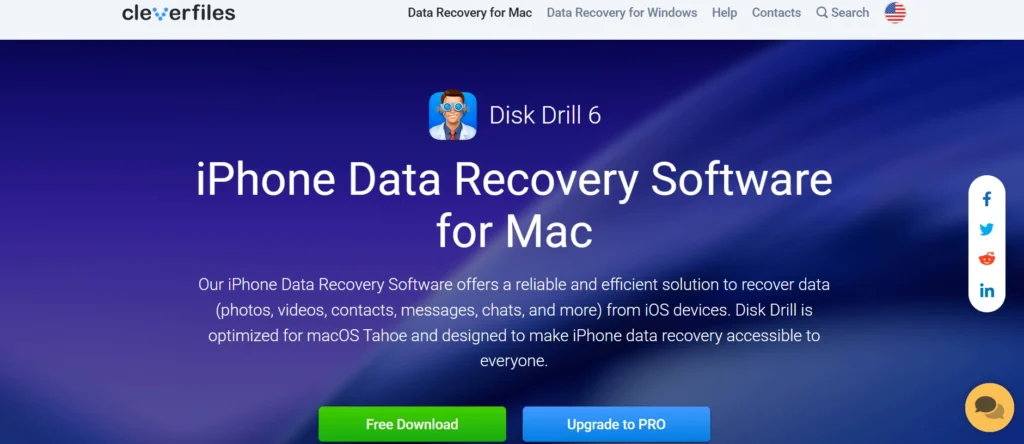
The reputation of Disk Drill on the iPhone is that it is an efficient data recovery tool that is capable of saving people who have already backed up their devices on iTunes. Rather than scanning the iPhone hardware, Disk Drill works on extracting and restoring data on the iPhone in a secure and orderly manner from backups that already exist. This renders it a good option for those users who frequently back up their iPhones and desire a reliable means of recovering their lost photos, messages, videos, and even app data. The software also puts the files retrieved in order and provides a clear preview feature that prevents users from restoring useless data.
Key Features:
- Restore information on iTunes backups.
- Evidence of pre-recovery.
- Organized file structure
- Works on macOS and Windows
- Other disk recovery programs were added.
Pros:
- Extremely reliable and believed software.
- Unproblematic file browsing and extraction.
- Perfect match to recovery based on backup.
Cons:
- Cannot scan the iPhone directly
- Limited use without backups
- The free version is limited to recovery.
Pricing
- Free Version
- Disk Drill PRO (iPhone): Costs around $89-$90 for a lifetime license
- Lifetime Upgrades: Add-on for a small fee (around $15)
- Enterprise: Offers licenses for multiple users
2. Gbyte Recovery
Gbyte Recovery is a recent iPhone Data Recovery Software aimed at people who do not want to go through the complicated stages of the data recovery process and just want to recover files easily. It primarily works on restoring temporarily deleted information such as photos, messages, and chat logs. In contrast to conventional desktop-based applications, Gbyte focuses on a learner-friendly experience, which makes it convenient for casual users who do not want to deal with technical details to obtain results quickly. The recovery process is straightforward, and the interface is simple and clean.
Key Features
- Easy and convenient interface.
- Speedy recovery and diagnostic testing.
- Vivint in photos and text.
- Minimal setup required
- Created to use in the recent loss of data.
Pros:
- Very easy to use
- Fast recovery process
- No technical know-how is required.
Cons:
- Limited data type support
- Not applicable to old deletions.
- Lacks improved recovery choices.
Pricing:
- Monthly Plan: ~$39.99 – $49.99
- Yearly Plan: ~$49.99 – $99.99
- Lifetime Plan: ~$79.99 – $149.99
3. iExplorer (by Macroplant)
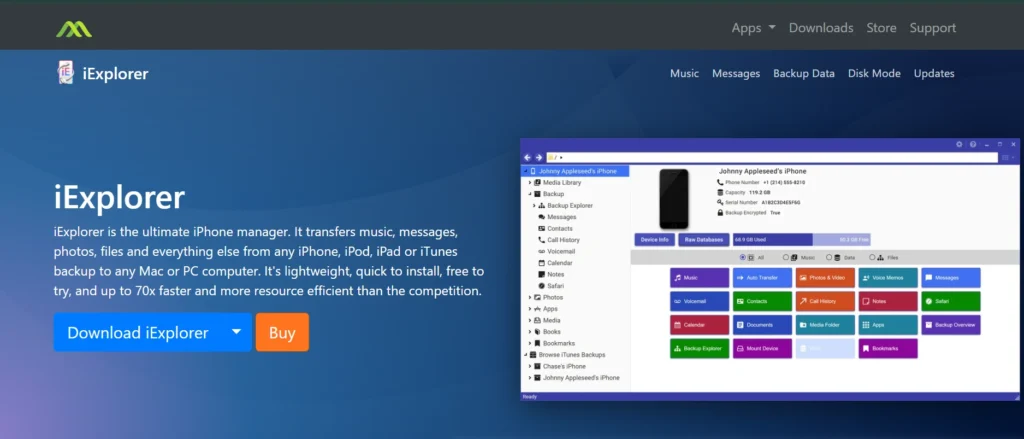
iExplorer by Macroplant is an aggressive data processing and retrieval application developed to provide the user with all the options to access their iPhone backups. As opposed to conducting deep recovery scans, iExplorer enables the user to explore, retrieve, and extract information in the iTunes and iCloud backups with accuracy. It is usually employed by professionals who require easy access to messages, photos, call logs, and application files that are stored in their backup. The interface is reminiscent of a file browser, and navigation can be easily performed.
Key Features:
- Look through iTunes and iCloud files.
- Copy messages, photos, and files.
- File explorer interface.
- Supports macOS and Windows
- Reliable developer and frequent updates.
Pros:
- Extremely precise data mining.
- Superior backup access control.
- Professional-grade reliability
Cons:
- No deep scan recovery
- Not ideal for beginners
- Paid license required
Pricing
- Basic: $39.99
- Universal: $49.99
- Family: $69.98
4. Dr.Fone (Wondershare)
Dr.Fone is a popular and reliable iPhone Data Recovery Software that is widely used for iPhone data recovery today. Both beginners and professionals use it extensively due to its simple interface and effective recovery process. The software helps users restore lost data caused by accidental deletion, iOS updates, factory resets, water damage, and system crashes. Dr.Fone allows data recovery directly from the iPhone as well as from iTunes and iCloud backups, increasing the chances of successful restoration. It also enables users to preview files before recovery so that only the required data is restored.
Key Features:
- Extract information from iPhone, iTunes, and iCloud.
- Swipe photos, messages, contacts, WhatsApp, and so on.
- View preview files before restoration.
- User-friendly interface
- Supports the newest versions of iOS.
Pros:
- Trusted and well-known brand
- Easy to use for beginners
- Wide data type support
Cons:
- The paid version is expensive
- The free version is restricted in recovery.
- Scanning can take time.
Pricing
- Unlock & Repair
- Dr.Fone – System Repair: Starts from ₹899
- Dr.Fone – Screen Unlock: Starts from ₹1,099
- Dr.Fone – Data Recovery: Starts from ₹1,499
- Transfer & Virtual GPS
- Dr.Fone – WhatsApp Transfer: Starts from ₹899
- Dr.Fone – Phone Transfer: ₹1,099
- Dr.Fone – Virtual Location: Starts from ₹199.50
- Utilities
- Dr.Fone – Password Manager: Starts from ₹599
- Dr.Fone – Password Manager: Starts from ₹699
- Features Products
- iCloud Activation Unlocker: Starts from ₹1,099
- DocPassRemover: Starts from ₹599
- Dr.Fone Online Unlock: Starts from ₹3,499
- Dr.Fone Air (Online): Starts from ₹1,699
5. iMyFone
iMyFone D-Back is an effective iPhone data recovery program that should be used by those users who wish to recover data selectively and accurately. It is particularly practical in case of lost data, which is caused either by some accidental deletion, system failure, or errors in updating the iOS system. The tool will enable users to scan their iPhones or backups and preview them before restoring them. Its capacity to restore encrypted iTunes backup data without losing its data is one of its largest strengths. iMyFone D-Back is a good option to use when it comes to users seeking control, accuracy, and a clean recovery experiencefore older systems.
Key Features:
- Selective data recovery
- Backups of iTunes are supported.
- Preview before restore
- Recovers files from iCloud.
- Simple step-by-step process
Pros:
- High recovery accuracy
- Clean and modern interface
- Good support for app data
Cons:
- The free version is very limited
- Requires computer access
- It requires a paid plan to recover fully.
Pricing:
- MirrorTo (Lifetime): Around $59.99 (discounted).
- LockWiper (1-Year): Around $79.99 (discounted).
- MagicMic (Voice Changer): Around $9.99 (discounted monthly).
- Umate Pro (Data Eraser): Starts around ₹3,750 (approx. $45 USD)
6. iMobie PhoneRescue for iOS
iMobie PhoneRescue iOS is a very inclusive app that concentrates on data recovery as well as the simplest repair of the iOS operating system. It comes in handy particularly to users who lose data through system crashing, boot loop, or failed software upgrade. PhoneRescue will enable people to restore data directly to their iPhones, which will save time and minimize unnecessary processes. Encrypted iTunes backups are also compatible with the software, and thus, they can be used by people who treasure the security of their data. It also features a guided interface that would step the user through the recovery process step by step, making it easy to use even by first time users.
Key Features:
- Rescue information straight onto the iPhone.
- Supports encrypted backups
- Repair tools that are included in the iOS system.
- Selective recovery using preview.
- Easy to use step-by-step interface.
Pros:
- Integrates recuperation and mending.
- User-friendly design
- High recovery accuracy
Cons:
- Large backups may take a long time to scan.
- A premium plan is necessary to access everything.
- Restricted freedom of recovery.
Pricing
- 3-Month License: Around $45.99
- 1-Year License: Around $49.99 (often auto-renewing)
- Lifetime License: Around $69.99 (one-time purchase)
Suggested Read: Mac Screen and Audio Recording Software
Clipping Software for Mac for Gaming
7. Stellar iPhone Data Recovery
Stellar Data Recovery for iPhone is a professional-level iPhone Data Recovery Software that is widely regarded as safe and reliable. It is designed to recover lost data caused by accidental file deletion, corrupted backups, or iOS system failures. Stellar places strong emphasis on data integrity, ensuring that recovered files retain their original quality and format. The software supports recovery from iPhone devices, iTunes backups, and iCloud backups, offering flexibility in various recovery scenarios. Its user interface is clean and informative, clearly displaying scan progress and detailed recovery results.
Key Features:
- Secure recovery process and read-only recovery process.
- Extract information on iCloud and iTunes backup.
- View preview files before restoration.
- Preserves original files.
- Supports the newest versions of iOS.
Pros:
- Highly reliable recovery
- Professional-grade tool
- Safe and secure process
Cons:
- Premium pricing
- Deep scans take time
- The free version is not very functional.
Pricing
- Mobile/Standard (1-Year): ~$39.99 – $59.99
- Toolkit/Pro (1-Year): ~$49.99 – $79.99
- All-in-One/Lifetime: Potentially $149+
8. EaseUS MobiSaver for iOS
EaseUS MobiSaver iOS is an easy and lightweight data recovery application that is targeted at common iPhone users. It is optimal when one wants to retrieve typical data formats of photos, contacts, messages, and call history. The program has simple recovery steps and is therefore suitable for individuals with minimal technical skills. EaseUS MobiSaver can recover iPhone storage, iTunes, and iCloud backups. Although it might not provide sophisticated recovery solutions, it provides uncomplicated data recovery services.
Key Features:
- Get back the pictures, messages, and contacts.
- Until iTunes and iCloud recovery.
- Simple and clean interface
- Preview before recovery
- Lightweight software
Pros:
- Beginner-friendly
- Affordable pricing
- Easy installation
Cons:
- Limited advanced features
- The free version is severely limited.
- Slower scan speed
Pricing
- Monthly/Yearly: $59.95 – $79.95 for a year
- Lifetime: $99.95
9. FoneLab iPhone Data Recovery
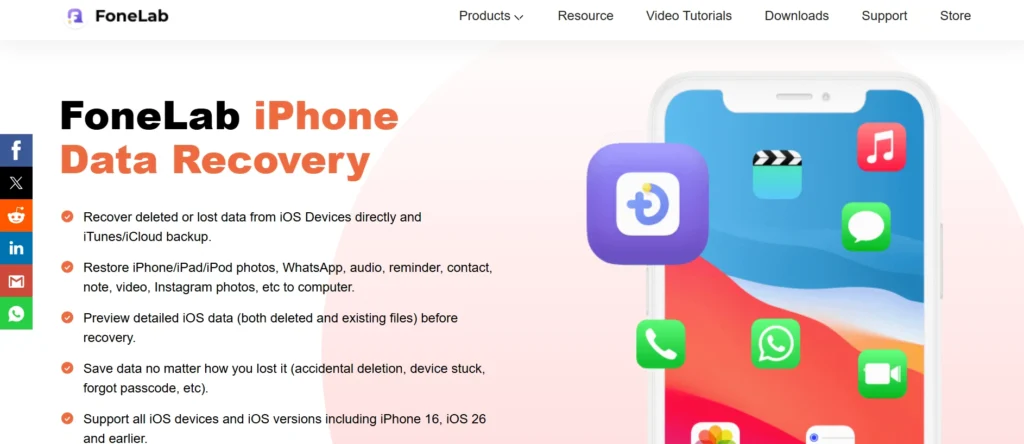
FoneLab iPhone Data Recovery is a versatile and reliable iPhone Data Recovery Software with a strong ability to recover a wide variety of iOS data, including media files and app data. It offers users multiple recovery modes based on the type of data loss encountered. The selective recovery feature allows users to restore only specific files instead of the entire backup, saving both time and storage space. The software also includes a preview option, ensuring accurate recovery before proceeding. With a balanced feature set and affordable pricing, FoneLab is a suitable choice for users who want effective recovery without paying premium costs.
Key Features:
- Multiple recovery modes
- Preview-based selective recovery.
- Supports app and media data
- Supports new IS versions.
- Clean and simple UI
Pros:
- Low price relative to the competitors.
- Supports many file types
- Easy to navigate
Cons:
- Average scanning speed
- Limited free recovery
- No system repair tools
Pricing
- Monthly Subscription: Around $29.95 – $31.20 per month
- One-Time Purchase (Mac):
- Single device: ~$49.95 – $59.95
- Multi-device (3 PCs/6 Devices): ~$132.00 – $199.00
- Windows Version: €49.95 (~$54 USD)
Comparison Table
| Software | Recovery speed | iOS version support | Trial available | Pricing |
| Disk Drill (CleverFiles) | Fast, optimized for large backups and scans | iOS 9 to latest iOS versions | Yes (preview recoverable files) | Subscription-based |
| Gbyte Recovery | Moderate, depends on data size and device condition | iOS 8 to latest iOS versions | Yes (limited recovery) | Subscription-based |
| iExplorer (Macroplant) | Fast for backup-based recovery | iOS 10 to latest iOS versions | Yes (restricted data transfer) | One-time license |
| Dr.Fone (Wondershare) | Fast with deep-scan options | iOS 7 to latest iOS versions | Yes (scan and preview only) | Subscription-based |
| iMyFone D-Back | Fast with multiple recovery modes | iOS 9 to latest iOS versions | Yes (preview before recovery) | Subscription or lifetime plans |
| iMobie PhoneRescue for iOS | Moderate to fast, depending on recovery mode | iOS 5 to latest iOS versions | Yes (limited recovery) | Subscription or lifetime license |
| Stellar iPhone Data Recovery | Moderate, reliable deep scanning | iOS 6 to latest iOS versions | Yes (scan and preview) | Subscription-based |
| EaseUS MobiSaver for iOS | Moderate, stable performance | iOS 8 to latest iOS versions | Yes (limited recovery) | Subscription-based |
| FoneLab iPhone Data Recovery | Moderate with deep-scan features | iOS 6 to latest iOS versions | Yes (preview only)r | Subscription or lifetime license |
Conclusion
Losing valuable information on an iPhone can be a stressful experience, but it can often be recovered using the right tools. The iPhone data recovery software has been used in this blog, and it provides effective solutions for restoring photos, messages, contacts, and app data in devices, iTunes backup, and iCloud. All the tools have their advantages, be it usability, enhanced recovery capabilities, or integration with encrypted backups. Knowing the characteristics, advantages, and disadvantages of these best tools, you will be able to select the software that best fits your requirements and guarantee that your valuable information will be preserved in a safe place in case of accidents.
FAQs
1. Is it Possible to Recover Lost iPhone Data Without a Backup?
Yes, there are iPhone data recovery software that enable you to scan your phone and restore files that you have just deleted. The success rate is, however, increased in case the backup is present, and permanently overwritten data might be lost forever.
2. Can these Data Recovery Tools be Considered Safe?
Yes, all tools that are in this blog are reliable and secure when they are downloaded from their respective sites. They are meant to access and remove data without modifying the existing files.
3. Is it Possible to Restore Encrypted iTunes Backups?
A majority of the leading iPhone recovery software, including iMobie PhoneRescue and iMyFone D-Back, are compatible with encrypted iTunes backups. To get the data, you might be required to put in your backup password.
4. Do I Need a Computer in Order to Make Use of These Tools?
The majority of data recovery software used in iPhones needs a computer (Windows or Mac) to execute the recovery program. Some applications, such as Gbyte Recovery, can recover directly from the device on the iPhone.
5. Can One Recover Freely Using these Tools?
Most of the tools have options for scanning and previewing freely; however, recovery often involves paying a fee. The free versions assist you in testing recoverable information before buying.